
AsDevKit Motion Vision Development Platform
Product Details
AsDevKit Motion Vision Development Platform
Motion Control System
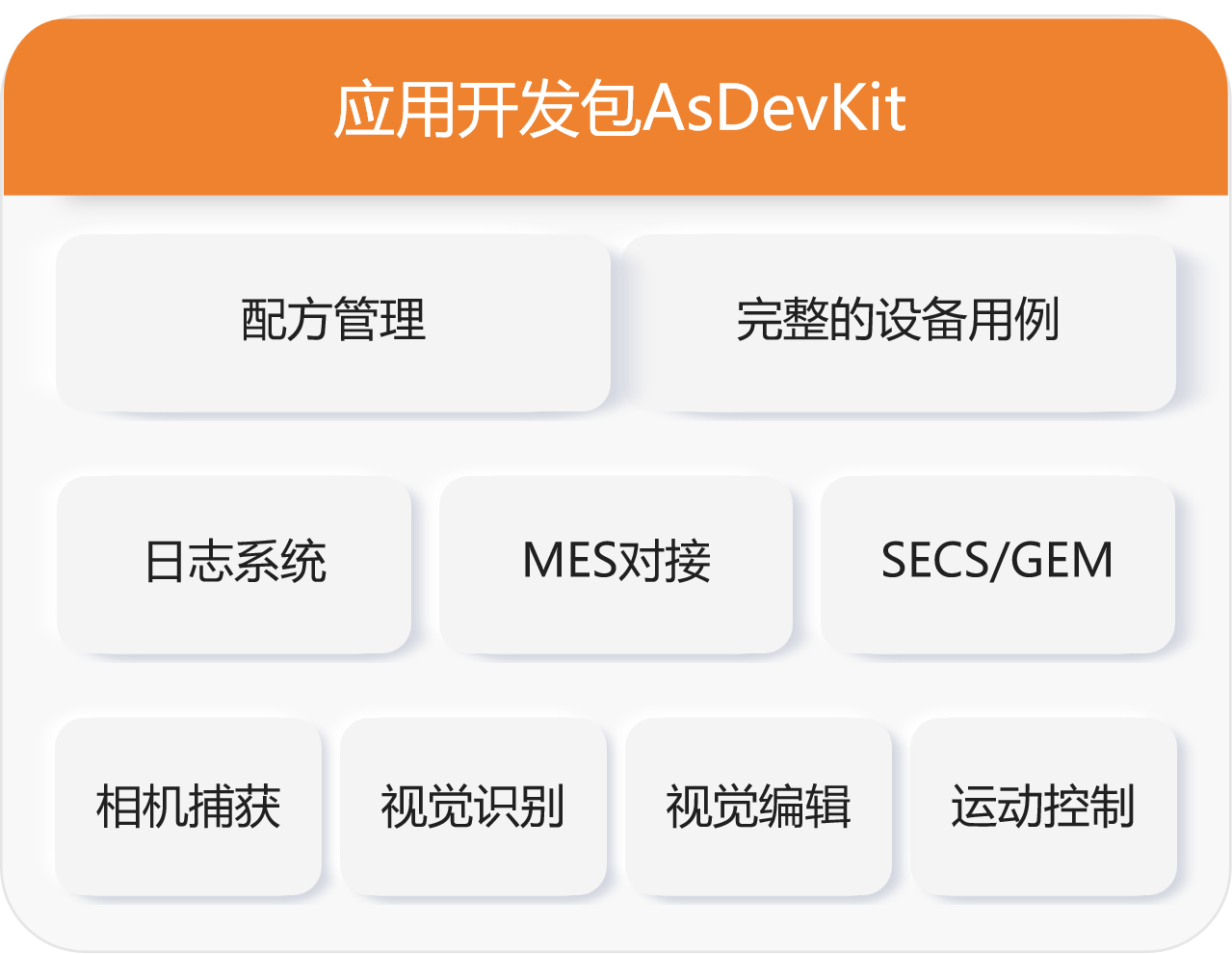
AsDevKit is an all-in-one device application development platform designed for the asMotion kernel. It deeply integrates motion control APIs, machine vision, image acquisition, lighting control, logging systems, recipe management, and MES/SECS/GEM connectivity. With a ready-to-use UI framework, sample code, and a plugin-based architecture, it enables equipment manufacturers to rapidly develop integrated "motion + vision" HMI software, significantly shortening the R&D cycle for high-end equipment. Widely used in semiconductor packaging, 3C inspection, laser processing, and precision assembly.
Key Features
- •Unified Motion Control & Vision: Built-in dual-engine for motion control and machine vision, enabling one-stop development
- •Powerful Vision Capabilities: Compatible with GigE/USB cameras; supports template matching, circle detection, line detection, and deep learning.
- •Plugin-based architecture: modular design with low coupling, easy to extend, maintain, and port.
- •Comprehensive industry features: formula management, logging system, permission control, messaging mechanism, and Toast notifications.
- •Easy MES integration: Built-in SECS/GEM, Modbus, and TCP/IP communication components
- •Custom UI: Offers interface templates with flexible layout and style customization.
- •Rich sample projects: Includes demo source code for dispensing, bonding, inspection, and flying camera equipment.
Technical Specifications
| No. | Category | Parameters | Notes |
|---|---|---|---|
| 1 | Product Positioning | Device Application Layer SDK | High-Speed PC Development Platform Based on asMotion Kernel |
| 2 | Core Features | Motion control encapsulation, visual capture, image processing, and light source control | Core Capabilities in Device Software Development |
| 3 | Visual Support | GigE/USB3.0 Cameras, GPU Acceleration, Trigger & Strobe | Optimized for high-speed visual localization scenarios |
| 4 | Visual Algorithms | Template matching, circle/line/rectangle detection, and deep learning | Meets positioning, measurement, and inspection requirements |
| 5 | Architecture Pattern | Plugin-based, multi-machine sharing, single codebase deployment across multiple devices | Reduce maintenance and porting costs |
| 6 | Industry Interface | Recipes, Logs, Permissions, Alarms, MES/SECS/GEM | Meets semiconductor/3C equipment specifications |
| 7 | Development Environment | C++, VC, Qt | Popular development tools, easy to get started |
| 8 | Companion Tools | Kernel Configuration, Axis Monitoring, IO Debugging, Waveform Analysis | Full-process debugging support |
| 9 | Kernel Adaptation | asMotion Full Product Line | Seamless integration, no additional adaptation required |
| 10 | Runtime Environment | Windows 10/11 x64 | Deployed on the same platform as the motion core |
| 11 | UI Support | Customizable interface, multi-screen layout, and rich controls | Rapidly build professional device interfaces |
| 12 | Deployment Method | Engineering source code + library files | Compile directly to generate the PC software for the device |
Installation and User Guide
1. Environment Setup:Install and activate the asMotion real-time kernel first, then deploy the AsDevKit development package.
2. Project Setup:Create a new project from the sample and configure motion control, vision, I/O, and communication parameters.
3. Visual Configuration:Connect camera, configure ROI, operators, lighting, and trigger mode to complete calibration.
4. Process Development:Implement motion-visual synchronization logic via encapsulated APIs, supporting flying shots, tracking, and contour following.
5. System Integration:Configure recipes, logs, and permissions; integrate with MES/SECS/GEM for production line connectivity.
6. Debug Release:Use monitoring tools to verify functionality, compile and release, and support on-site upgrades and maintenance.